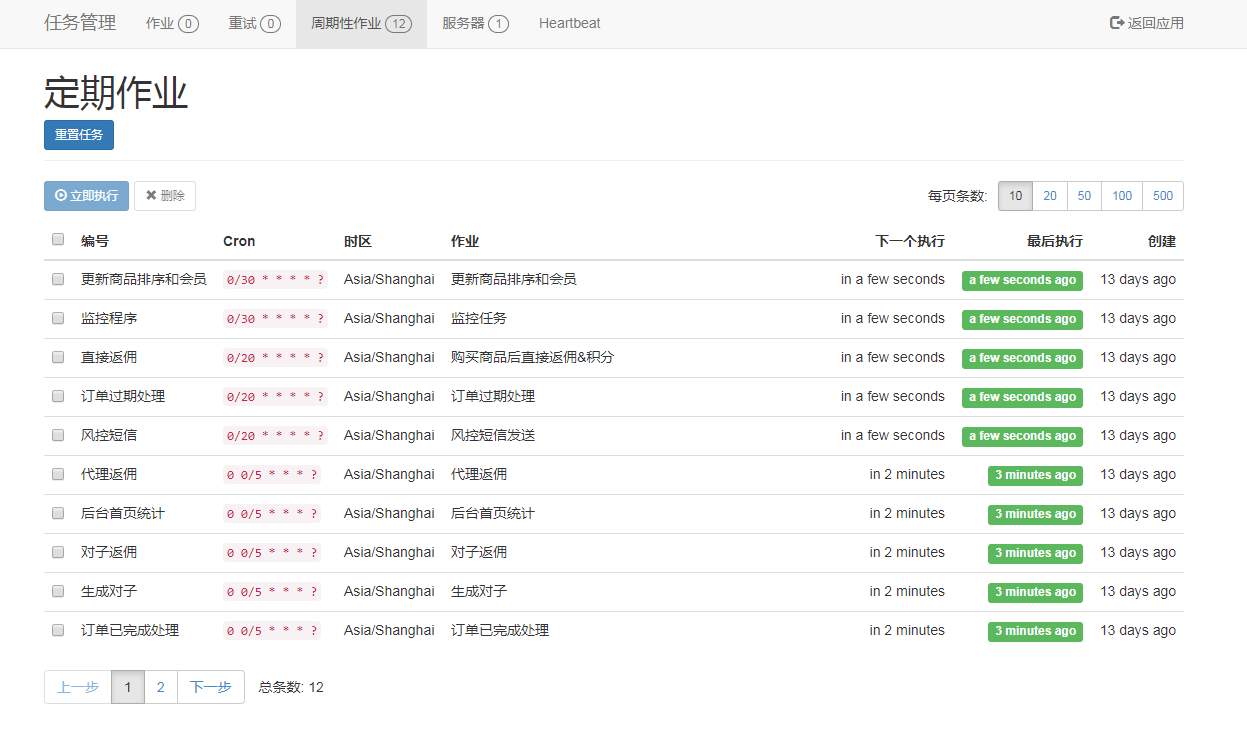
定时任务组件,除了 Hangfire 外,还有一个 Quarz.NET,不过 Hangfire .NET Core 支持的会更好些。
ASP.NET Core 使用 Hangfire 很简单,首先,Nuget 安装程序包:
然后添加ConfigureServices配置代码:
#region Hangfire
services.AddHangfireConfig(Configuration);
#endregion
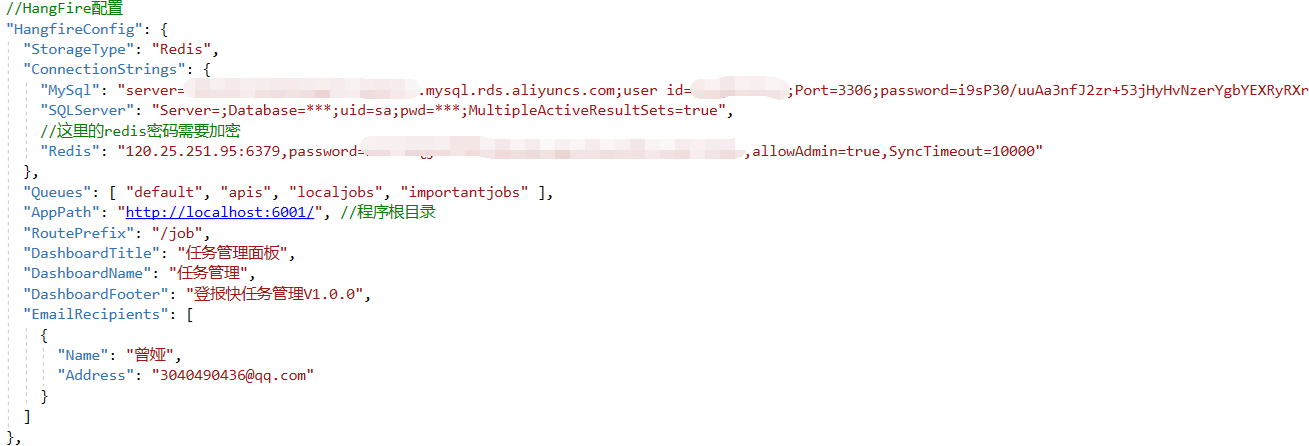
在添加Configure配置:
#region Hangfire.
//启用Hongfire服务.
app.UseHangfire();
//启用Hongfire面板.
app.UseHangfireDashboard();
#endregion
加入运行频率代码,30秒运行一次,0/30 * * * * ? 这个是Cron时间表达式:
/*监控任务*/
RecurringJob.AddOrUpdate<IHangfireJobService>("监控程序", s => s.RiskMonitor(null), "0/30 * * * * ? ", TimeZoneInfo.Local);
声明任务接口:
/// <summary>
    /// Hangfire 任务
    /// </summary>
    public interface IHangfireJobService
    {
        /// <summary>
        /// 监控任务
        /// </summary>
        /// <returns></returns>
        [DisplayName("监控任务")]
        [CustomJobFilter(60, 18000)]
        [Queue("localjobs")]
        Task RiskMonitor(PerformContext context);
}
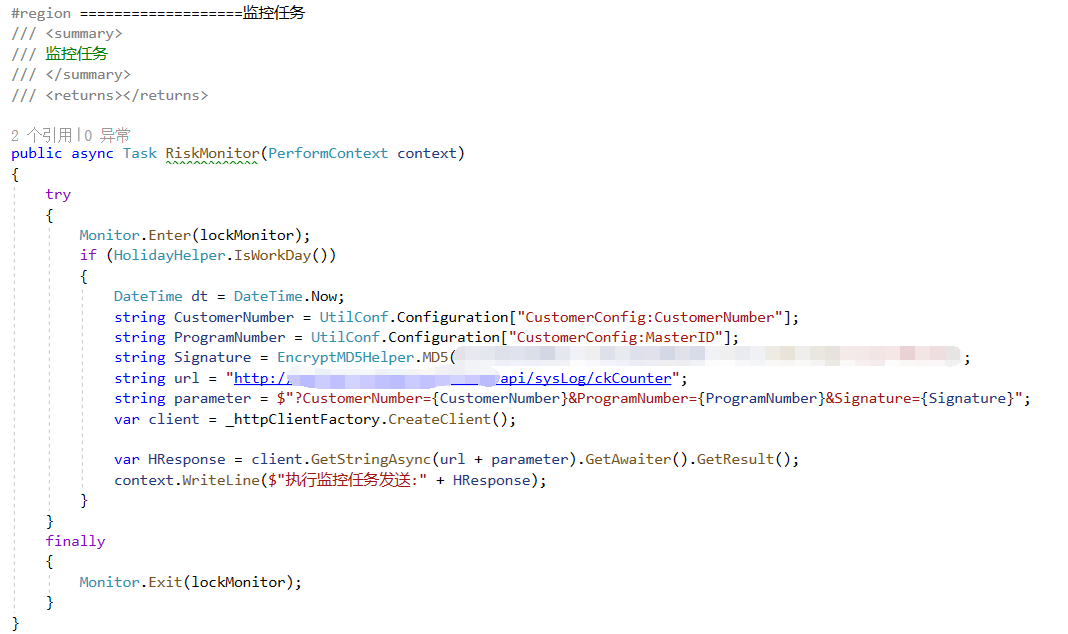
实现任务接口:
打完收工